Microsoft Entra (fka Azure AD)
How to Set Up OIDC Roles Claim in Microsoft Entra
This guide walks you through configuring Microsoft Entra ID (formerly Azure AD) to include role claims in the ID token for OAuth2/OIDC authentication.
Step 1: Create App Registration
Create a new application registration in Microsoft Entra ID.
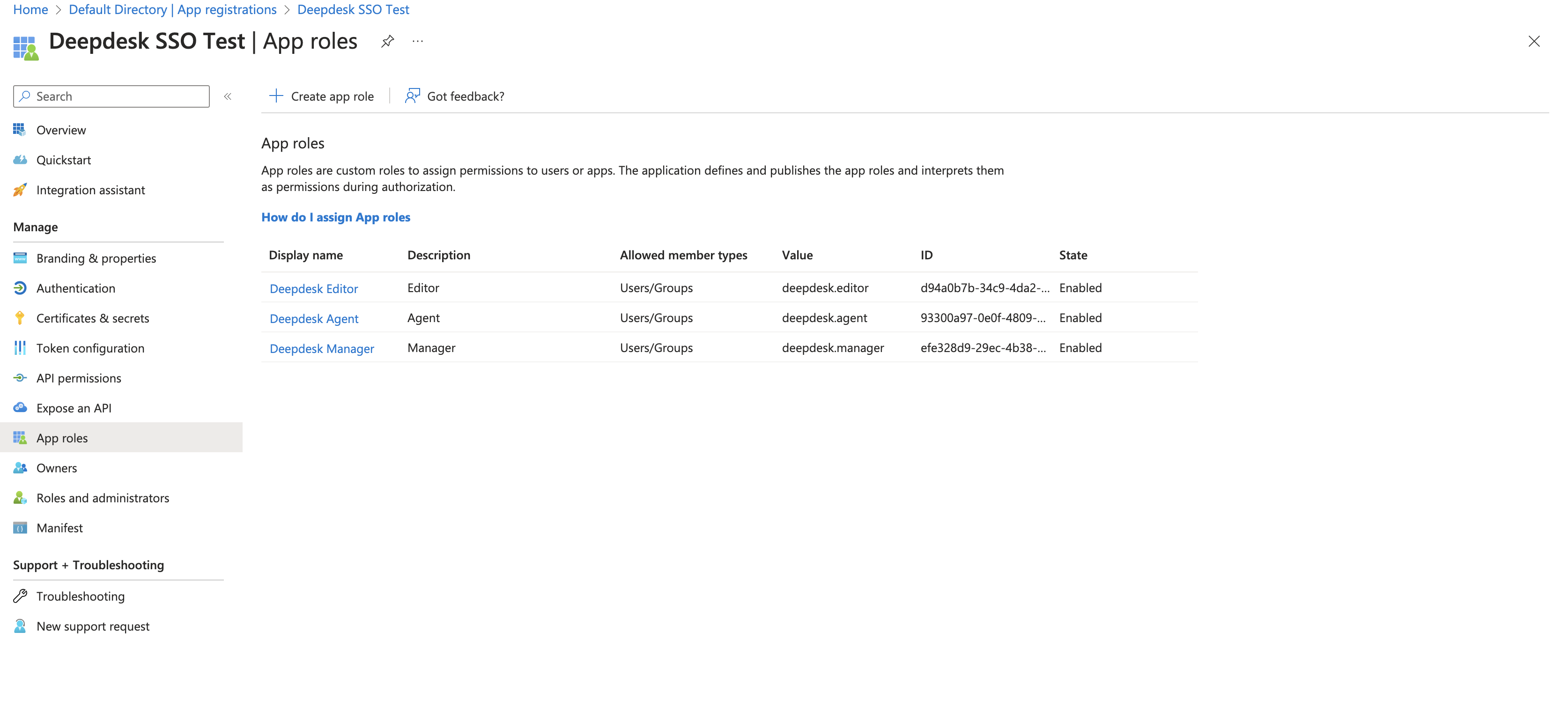
Step 2: Add App Roles
Add application roles that will be available for assignment to users.
For detailed instructions, see the Microsoft documentation on adding app roles.
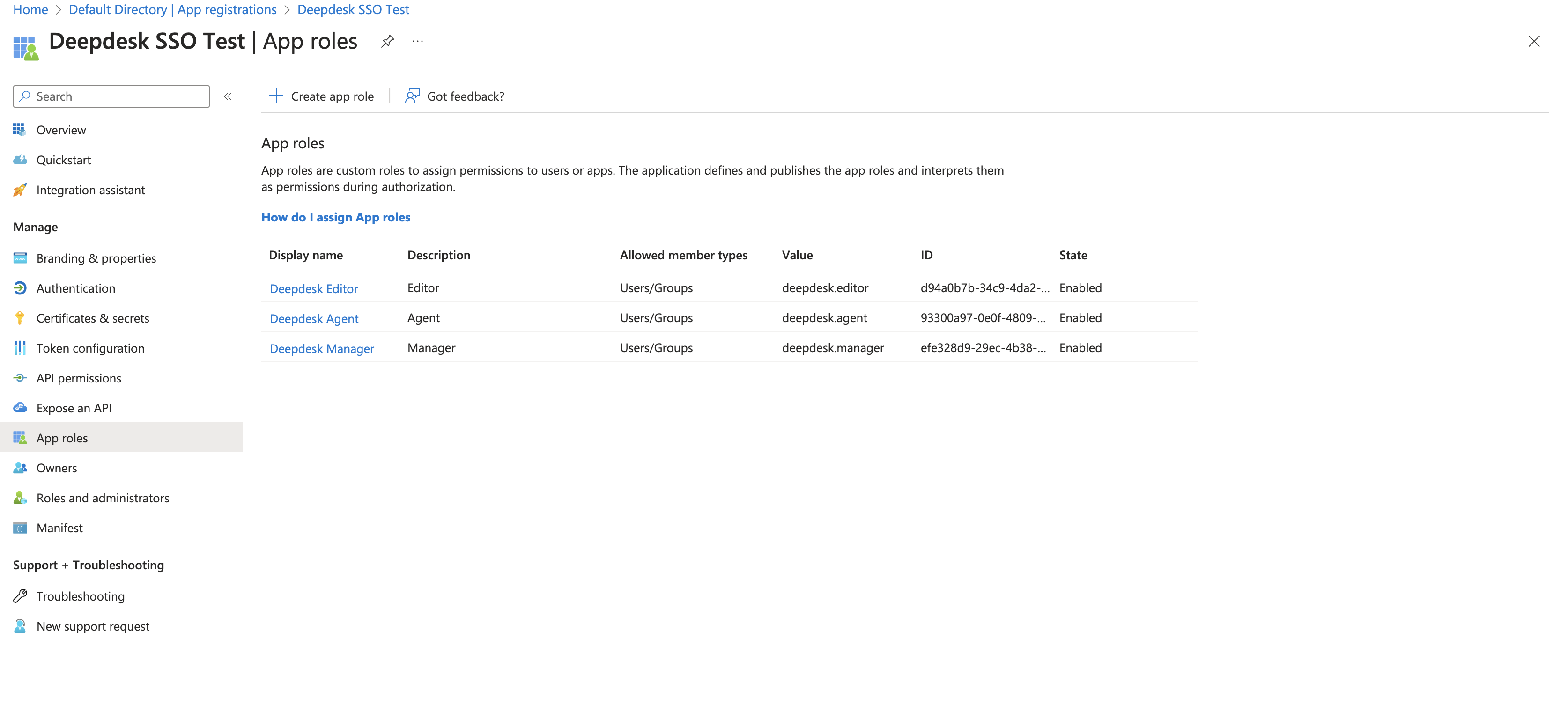
Example roles:
deepdesk.agent- Standard agent accessdeepdesk.editor- Editor privilegesdeepdesk.manager- Manager access
Step 3: Assign Roles to Users
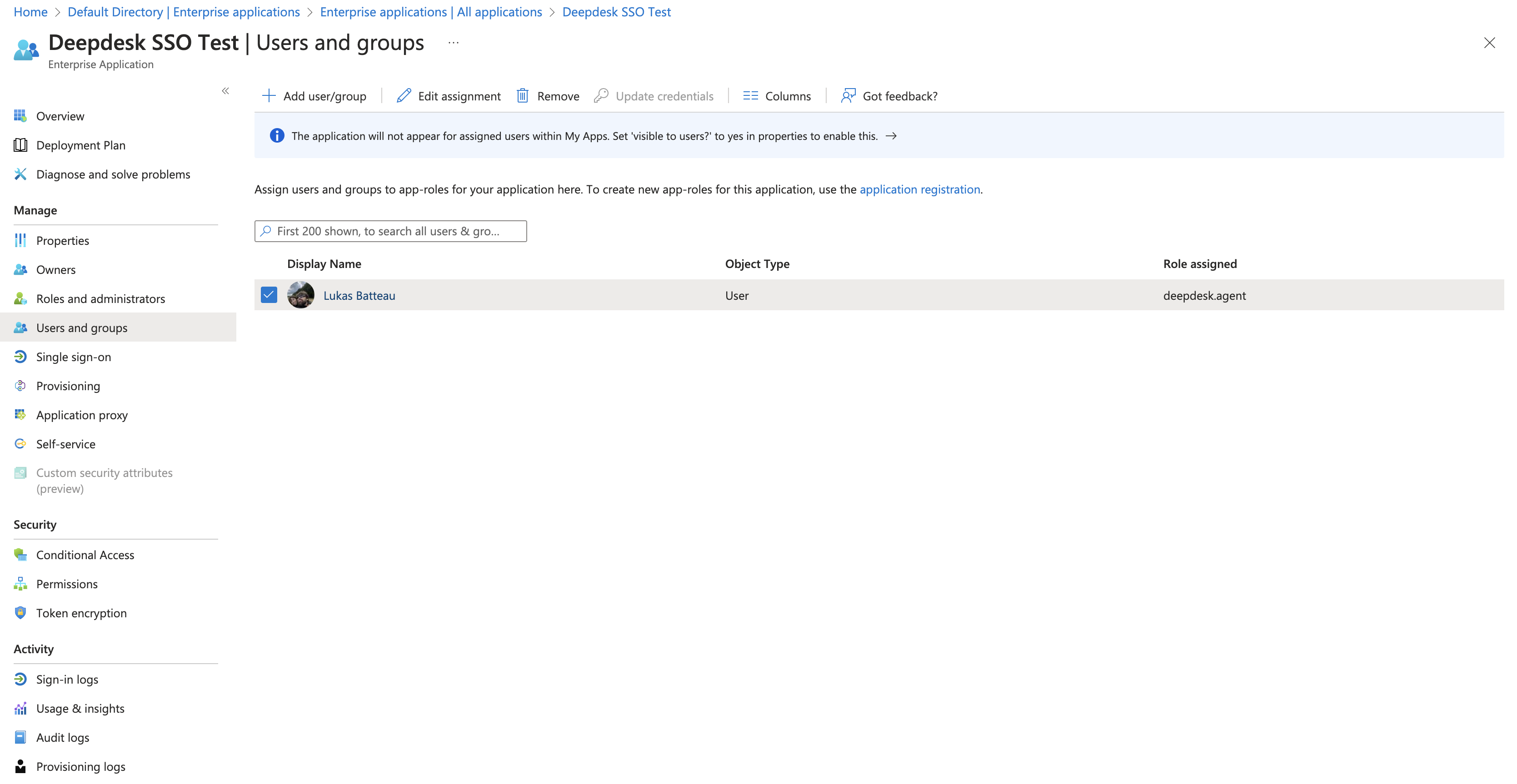
In Enterprise applications, assign the appropriate role to each user.
Step 4: Configure Token Claims
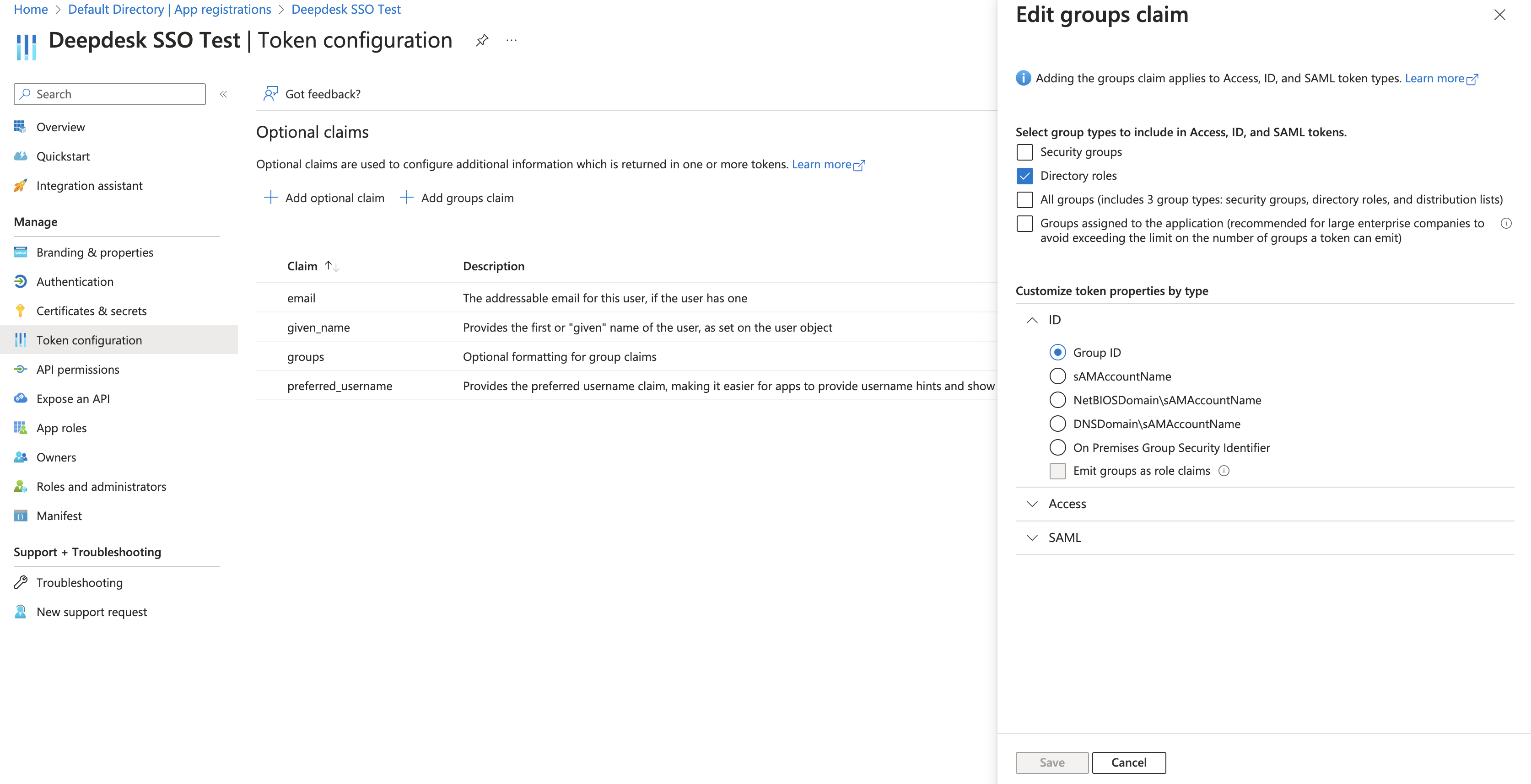
Add roles to token claims by configuring the "Directory roles" in the groups claim settings.
Result
Once configured, the roles claim will be included in the ID token:
{
  "aud": "bc00e98b-c113-446c-8be0-390a622d7c32",
  "iss": "https://login.microsoftonline.com/ee36662a-82e3-421a-ad2d-afa5e25e4f7e/v2.0",
  "iat": 1686741406,
  "nbf": 1686741406,
  "exp": 1686745306,
  "ageGroup": "3",
  "email": "lukas@deepdesk.com",
  "given_name": "Lukas",
  "name": "Lukas Batteau",
  "oid": "b930e21b-2214-4dd1-8e30-eb3204b06c1b",
  "preferred_username": "lukas@deepdesk.com",
  "rh": "0.AToAKmY27uOCGkKtLa-l4l5PfovpALwTwWxEi-A5CmItfDI6AP4.",
  "roles": [
    "deepdesk.agent"
  ],
  "sub": "-xsL1_NQUGPiBRGczjI3XlpxKGZz-Owuetjx4CtSK9A",
  "tid": "ee36662a-82e3-421a-ad2d-afa5e25e4f7e",
  "uti": "iWUfFxE8uEOzSrXPymoJAA",
  "ver": "2.0",
  "wids": [
    "62e90394-69f5-4237-9190-012177145e10",
    "b79fbf4d-3ef9-4689-8143-76b194e85509"
  ]
}
Key Fields
roles: Array of assigned roles (e.g.,["deepdesk.agent"])aud: Audience (Client ID of your application)iss: Issuer (Microsoft Entra ID tenant)emailandpreferred_username: User identification
Next Steps
Once the roles claim is configured, Deepdesk will automatically:
- Decode the ID token during authentication
- Extract the
rolesarray - Assign the appropriate role to the user in Deepdesk
See OAuth2 Roles for details on how Deepdesk processes these role claims.